How to Follow Live Cricket Scores Online in 2026

There is a particular restlessness every Indian cricket fan knows well. You are stuck in a meeting, squeezed into a crowded local train, or sitting through a cousin's engagement, and somewhere out there the second new ball is swinging and a top order is wobbling. Twenty years ago you would have strained to catch a radio commentary or waited for someone to shout the score across the room. Now the whole match sits in your pocket, refreshing ball by ball, as long as you know where to look.
The hard part in 2026 is not finding a score. Scores are everywhere. The hard part is finding them cleanly, without a dozen pop-ups, without a thirty-second lag behind the television, and without juggling five browser tabs to track two games at once. This guide walks through the sensible way to follow cricket live this year: which apps are genuinely fast, how to actually read commentary, which alerts deserve a spot on your lock screen, and how to keep your fixtures and scores tidy in a single place.
Pick one or two fast apps and stop there
Most people collect score apps the way they collect WhatsApp groups: far too many, half of them forgotten. You really only need one that refreshes quickly and a backup for when the first one hiccups during a big India game. Look for three things before you settle.
- Refresh speed. A good app updates within a second or two of the ball being bowled. If it feels slower than the person next to you watching TV, it is costing you the best moments.
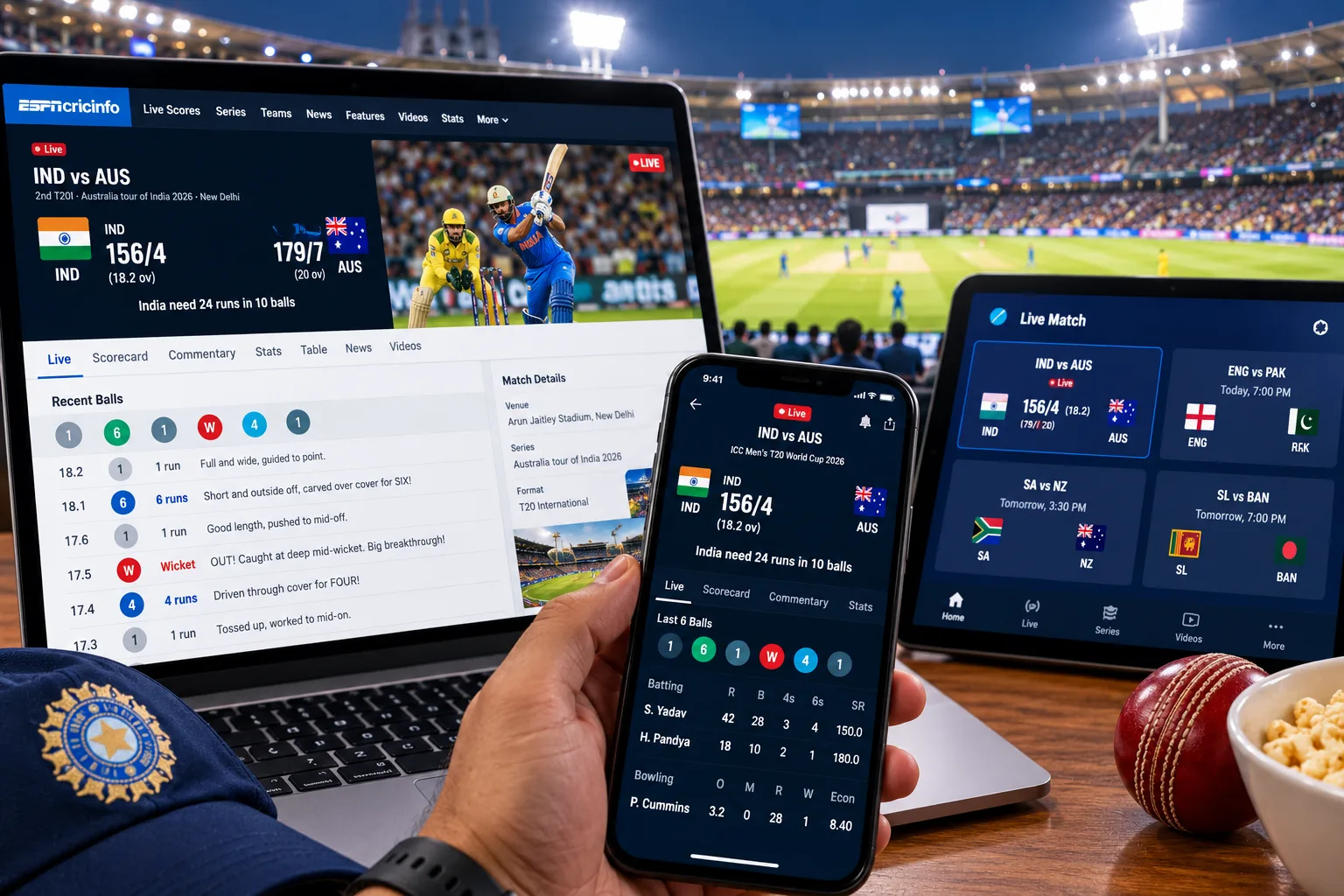
- A clean match screen. The current score, the batters, the bowler, the required run rate and the recent overs should all be visible without scrolling.
- Light on data and battery. Through a full day of a Test, a bloated app will quietly eat both.
Whichever app you choose, spend five minutes setting your favourite teams and formats so your home screen opens straight onto the matches you care about rather than a women's county fixture you have never heard of.
Learn to read ball-by-ball commentary properly
Text commentary is the unsung hero of online cricket. When you cannot watch or even listen, a good commentary feed paints the picture: the length, the shot, the field, the little drama of a review. But it only helps if you can read the shorthand quickly.
The line usually runs over number, then bowler to batter, then what happened. "14.3, Shami to Pant, no run, beaten outside off" tells you more than a scoreline ever could. If the abbreviations and dot-ball notation still trip you up, our breakdown of how to read a cricket scorecard clears up most of the symbols you will meet.
Set notifications that help, not ones that pester
Alerts are brilliant until your phone buzzes for every single boundary in a T20 run-fest and you switch the whole thing off in frustration. The trick is to be choosy. Keep the ones that matter and mute the noise.
- Toss and team news. The toss shapes the whole day, especially under lights or on a turning track.
- Wickets and milestones. A fifty, a hundred, a five-for, a key dismissal. These are the moments you actually want to look up for.
- Innings breaks and results. Enough to keep you in touch without being glued to the screen.
Skip the ball-by-ball push alerts unless it is the closing overs of a tight chase. During a nervy finish, turning them on for twenty minutes is exactly what they are built for.
Keep every fixture and score in one place
Follow more than one team and the calendar gets messy fast. An IPL league game, an India series overseas starting at odd hours, a Ranji match your home side is playing. Flipping between apps and tabs to track all of it is how you miss the exact moment that mattered. The fix is to settle on a single home base that shows upcoming fixtures, live scores and recent results together, with the start times already converted to IST so you are not doing mental maths at midnight.
If you like keeping every fixture and live score in one place, an online cricket id makes following along simple, so you are not hunting across half a dozen apps every time play starts. Set your teams once, and the day's cricket lines up in front of you.
A quick fixture habit that saves you
On a Sunday evening, glance at the week ahead and note the two or three games you genuinely care about. Add the odd-hour ones to your calendar. It sounds fussy, but it is the difference between catching the first ball of a marquee contest and realising at tea that it started hours ago.
Second-screen viewing: watch and track at once
Plenty of fans now watch the broadcast on the television and keep a score app open on the phone beside them. It feels like doubling up, but the two do different jobs. The screen gives you the drama and the replays; the phone gives you the detail the broadcast skips past.
On your second screen you can check a bowler's figures mid-spell, see how a batter's strike rate is climbing, or pull up the full scorecard during a drinks break. One caution worth remembering: live streams often run several seconds behind the actual play, and score apps are usually quicker. If your phone buzzes "WICKET" before the TV shows it, that is simply the lag, not a glitch.
Putting it all together
Following cricket online in 2026 is less about chasing the score and more about building a calm little setup you trust. One fast app, a backup, notifications trimmed to the moments that matter, your fixtures gathered in one spot, and a phone beside the TV for the finer detail. Get that right and you stop missing the good bits, whether you are at your desk, on a train, or quietly checking under the table at a wedding. The cricket will always find a way to surprise you. The least you can do is be watching when it does.